Public Function ConditionUIFormat(cond_str As String) As String
This procedure is called whenever HomeSeer requires a display formatted condition, such as when the event list page is displayed.
The condition string holds the name of the condition, and the current settings. Each parameter in the string is separated by the character Chr(2). This function should return a formatted string describing the condition. The format of the string is:
parameter 1 = plug-in name
This can be ignored is used by HS to determine ownership of the condition
parameter 2 = condition name
This is the name of the condition as described by the ConditionUI() call. In the example given under ConditionUI, one condition name would be "Zone Condition". This name can be used to identify the condition.
parameter 3 = condition value 1 (as returned by the drop list in the conditions)
parameter 4 = condition value 2 (as returned by the drop list in the conditions)
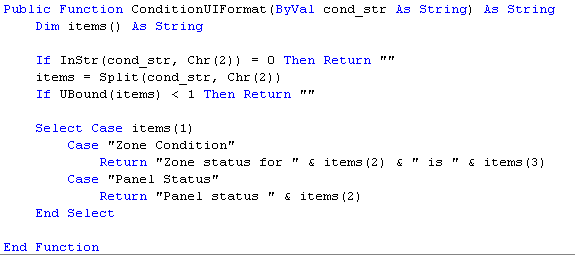
Here is an example ConditionUIFormat procedure:
See Also